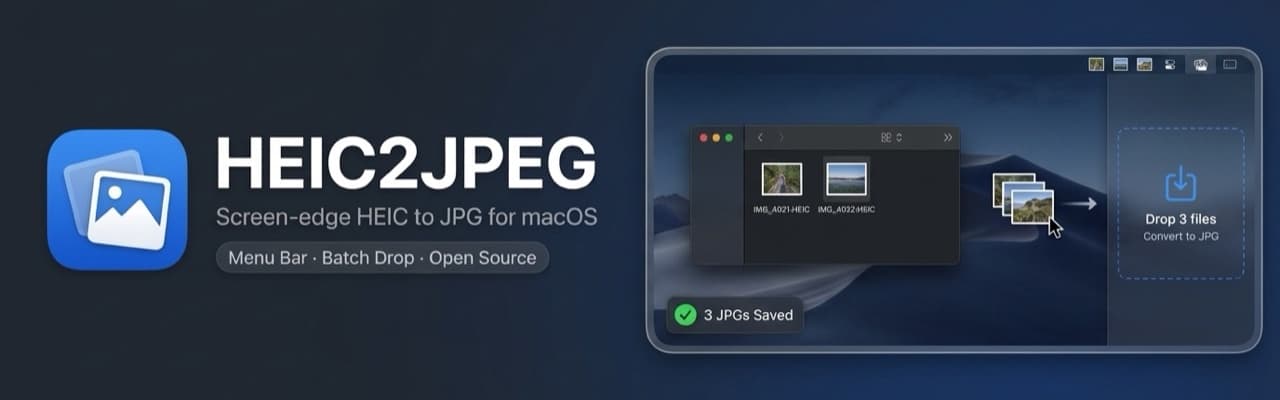
A minimal native macOS menu bar utility with one job: drag HEIC or HEIF photos from Finder to a subtle 10px strip on the screen edge, drop them, and get converted JPG files in the same folder with the same names.
- My role
- Author and maintainer
Project Overview
Converting iPhone HEIC photos to JPG on a Mac usually means opening Preview, exporting one by one, or installing a heavy converter full of formats nobody asked for. HEIC2JPEG stays out of the way until you drag a file: a 10px handle peeks from whichever screen edge you pick in Settings, slides open into a dropzone when Finder files approach, converts one photo, a batch, or a whole folder concurrently via macOS ImageIO, and drops the resulting .jpg files right next to the originals without overwriting existing files.
The utility in numbers
- Idle footprint
10px on the screen edge
A non-activating floating panel anchored to the chosen edge (left or right, top, middle or bottom). While idle its window bounds stay strictly 10pt wide, so clicks on neighbouring windows are never intercepted.
- Runtime dependencies
None
Native Swift 6, SwiftUI, AppKit and ImageIO only. Hardware-accelerated HEIC/HEIF transcoding with EXIF, orientation and ICC colour profiles preserved.
- Permissions
App Sandbox, no Accessibility access
Uses security-scoped folder bookmarks to write sibling JPG files in the source folder with a one-time approval per root folder, keeping the app Mac App Store compliant.
Challenges
- Making an always-available screen-edge drop target that never steals focus or blocks clicks on scrollbars and windows sitting next to the edge.
- Detecting a Finder drag approaching the screen edge without asking the user for Accessibility permissions.
- Writing new sibling .jpg files into the source folder while running inside macOS App Sandbox, where dropping a file grants access only to the dropped file itself and not its parent directory.
- Keeping the repository clean for open-source publication and future Mac App Store distribution without committing Apple Developer Team IDs or signing credentials.
Solutions
- Used a borderless non-activating NSPanel whose frame stays strictly 10pt wide when idle and expands flush to the same screen-edge anchor during an active drag, with SwiftUI animating the card inside to avoid window-resize jitter.
- Combined NSDraggingDestination on the edge strip with a lightweight global mouse-drag check against NSPasteboard.drag change counts, so only real file drags pre-expand the dropzone - with zero Accessibility entitlements.
- Built a FolderBookmarkStore around security-scoped bookmarks: the app reuses any saved ancestor folder bookmark, probes direct write access first, and only shows a one-time NSOpenPanel per root folder when inside App Sandbox.
- Implemented conversion on Apple ImageIO (CGImageDestinationAddImageFromSource) with bounded Swift Concurrency batch processing and collision-safe naming so existing .jpg files are never silently overwritten.
- Added native Launch at Login via SMAppService.mainApp, an XcodeGen spec with gitignored Local.xcconfig overrides for signing, and a shell packaging script plus GitHub Actions release workflow that builds verified DMG and PKG installers.
Key Features
- Menu Bar Only - Lives in the top menu bar with Settings, About and Quit, and no Dock icon.
- 10px Edge Handle - Peeks subtly from the screen edge and slides out smoothly when dragging files from Finder.
- 6 Screen Positions - Left or right edge at top, middle or bottom, with an interactive live preview in Settings.
- Single, Batch and Folder Drops - Converts one file, dozens of photos or a dropped folder concurrently, skipping non-HEIC files cleanly.
- EXIF & Colour Preserved - Native ImageIO transcoding keeps EXIF metadata, orientation and ICC colour profiles intact.
- Collision-Safe Saving - Writes .jpg files into the original folder and avoids overwriting existing files.
- Launch at Login - Native macOS autostart toggle powered by SMAppService.
- Open Source & Signed-Free Repo - MIT licensed, packaged as direct-download DMG and PKG releases via GitHub Actions.
Project Info
November 29, 2026
Technologies
Mobile
Security
DevOps & CI/CD
Need something like this?
Tell me what you are building and where it is stuck. I will tell you plainly whether it is work I should be doing.